> For the complete documentation index, see [llms.txt](https://docs.responso.com/responso-doc/llms.txt). Markdown versions of documentation pages are available by appending `.md` to page URLs; this page is available as [Markdown](https://docs.responso.com/responso-doc/fr/integrations/email/imap/gmail.md).

# Gmail

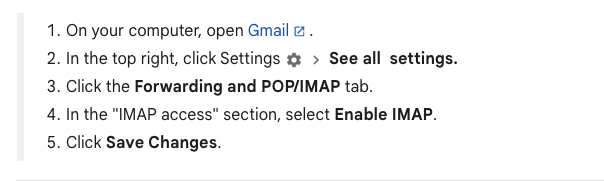
At the beginning, it's important to enable IMAP access before adding the settings:

<figure><img src="https://content.gitbook.com/content/2v3uAnW0PYvtPTSOfRVv/blobs/qJqV1HWWnHXPuevPI1Zt/Zrzut%20ekranu%202023-09-11%20o%2009.37.40.png" alt=""><figcaption></figcaption></figure>

{% hint style="info" %}
NOTE: If you want to connect with Gmail, Outlook, or Yahoo, you will need to use an application password.
{% endhint %}

Please check the following instructions to learn how to create an application password:

#### Gmail

If you are using a business account, the configuration may require additional permissions from the administrator.

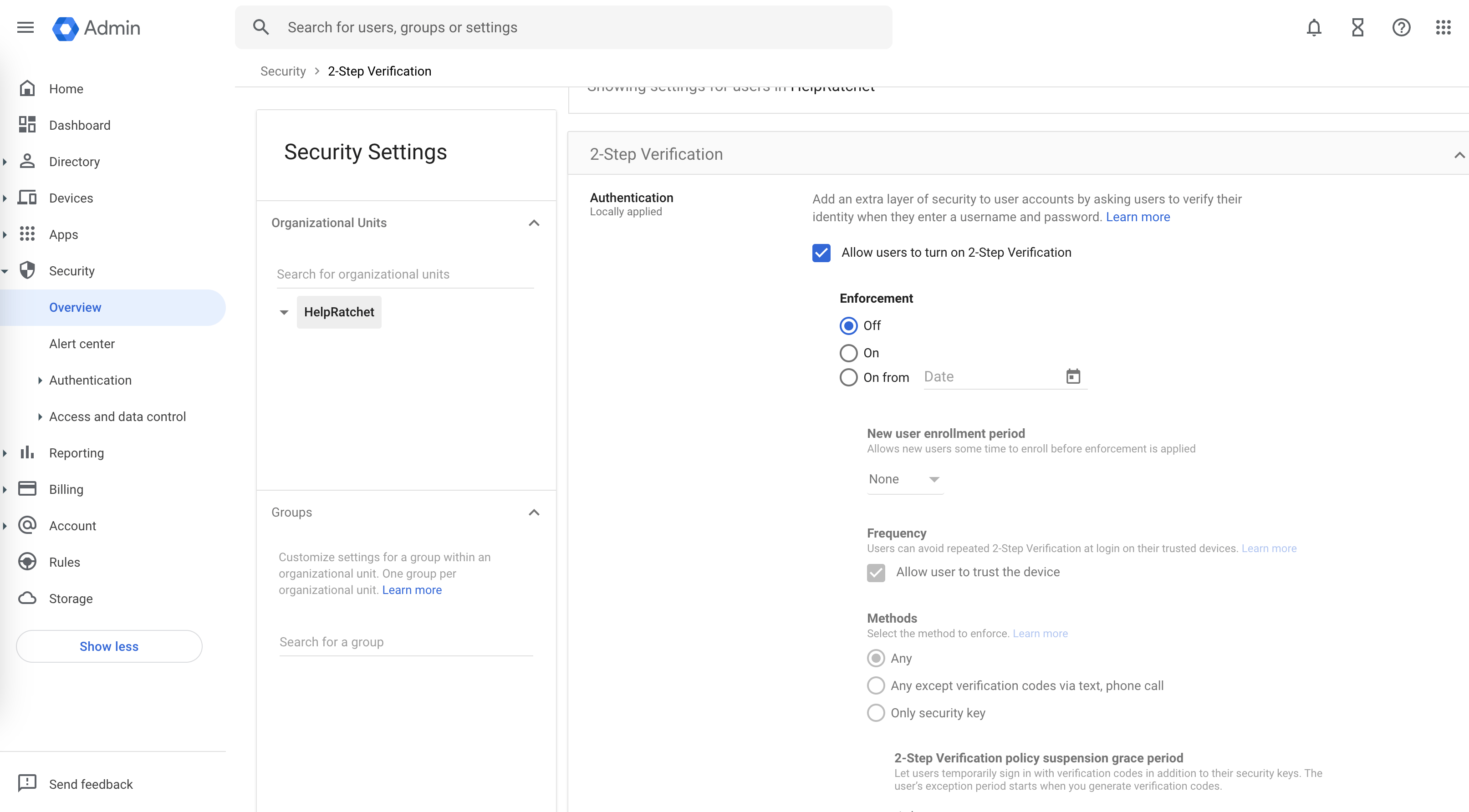
Enable two-factor authentication (2FA) here.

<figure><img src="https://content.gitbook.com/content/2v3uAnW0PYvtPTSOfRVv/blobs/8oIHJuHhZarrVYu78Bt2/spaces_NxBd7AiJvoHKedJlJN54_uploads_EfcpZWQNdRZBYboK2Soq_image.webp" alt=""><figcaption></figcaption></figure>

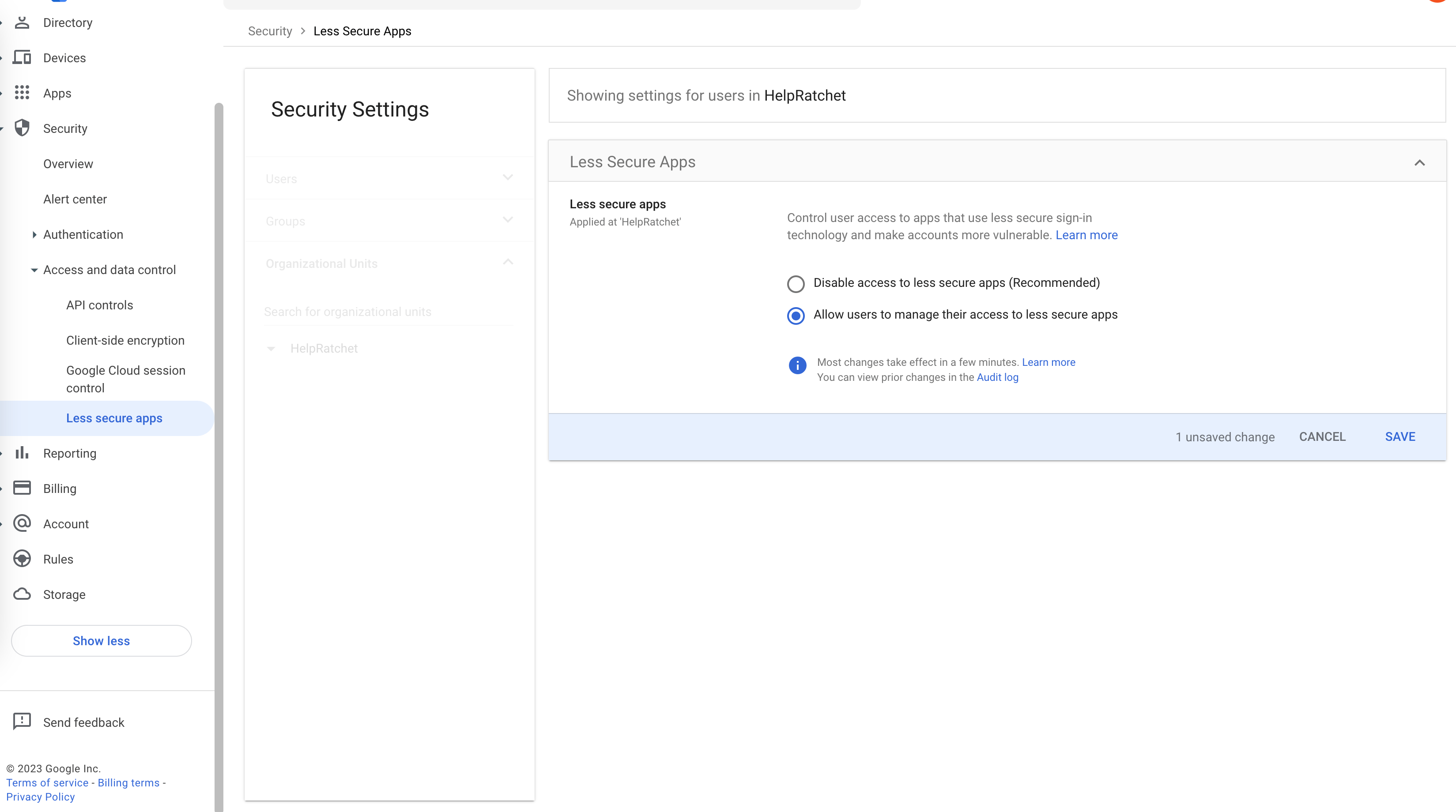
Allow users to manage their access to less secure apps

<figure><img src="https://content.gitbook.com/content/2v3uAnW0PYvtPTSOfRVv/blobs/6vKCBevVf4dt0Ci5tR7z/spaces_NxBd7AiJvoHKedJlJN54_uploads_GHfLBMxkNxCu6upq0awV_image.webp" alt=""><figcaption></figcaption></figure>

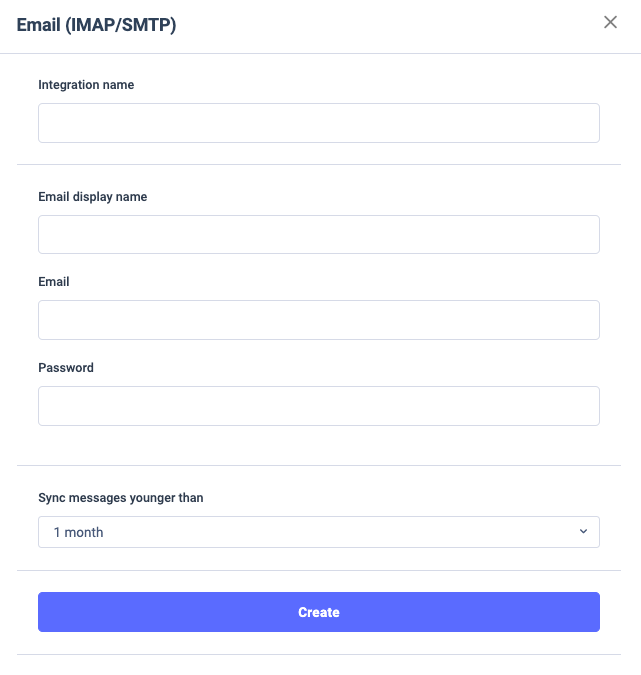
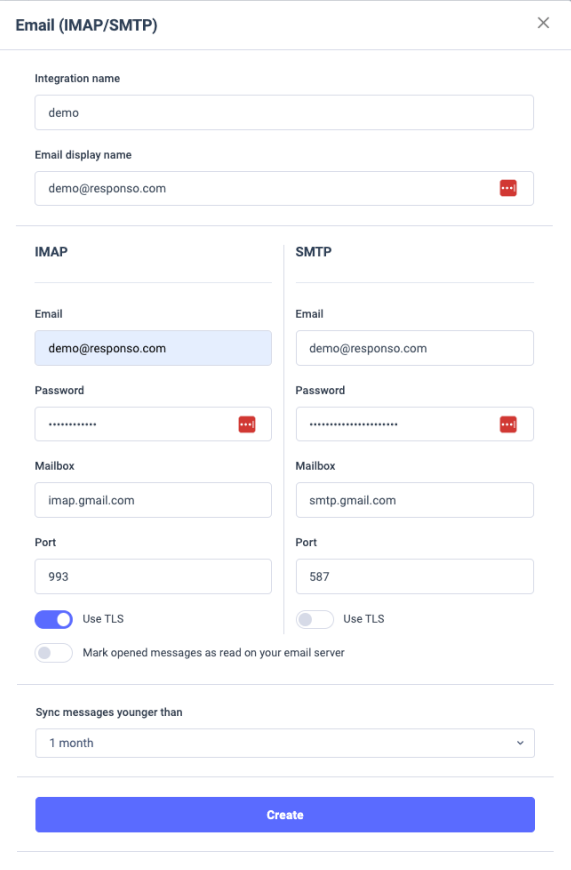
Then, enter the data here (*Password* is application password):

<figure><img src="https://content.gitbook.com/content/2v3uAnW0PYvtPTSOfRVv/blobs/K7qYtpiaAbl7uLPiDhFw/Zrzut%20ekranu%202023-09-11%20o%2009.49.47.png" alt=""><figcaption></figcaption></figure>

You can choose how old messages you want to sync.

The next step should looks like this:<br>

<figure><img src="https://content.gitbook.com/content/2v3uAnW0PYvtPTSOfRVv/blobs/Cz9f3mfIbu7A9RETcPoW/Zrzut%20ekranu%202023-09-12%20o%2007.56.31.png" alt=""><figcaption></figcaption></figure>