> For the complete documentation index, see [llms.txt](https://docs.responso.com/responso-doc/llms.txt). Markdown versions of documentation pages are available by appending `.md` to page URLs; this page is available as [Markdown](https://docs.responso.com/responso-doc/en/integrations/other-integrations/etsy.md).
# Etsy
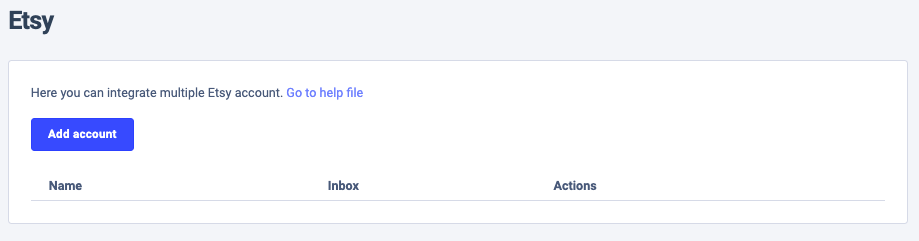
To integrate Responso with Etsy, you need to link your account to our system. Go to the *Settings* > *Integrations* > *Etsy* or click [here](https://app.responso.com/settings/integration/etsy?wizard=1). Then, follow the steps below.
1. Add your account.
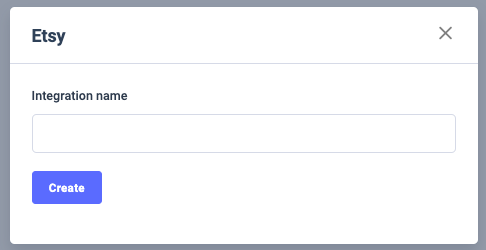
2. Enter the name of your Etsy shop and click *Create.*
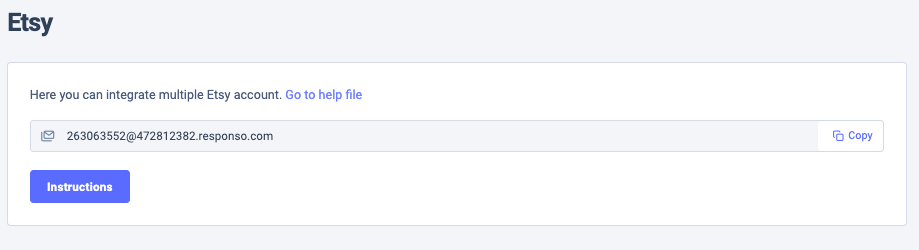
3. A new ID for your Inbox will be displayed. Click *Copy* and integrate the inbox with Responso. You can find all the details regarding email redirecting [here](https://docs.responso.com/responso-doc/v/en/configuration/email/redirecting-messages).
{% hint style="success" %}
If everything goes well, your Etsy account will now be configured. The integration allows you to receive notifications about messages from multiple Etsy accounts in Responso.
{% endhint %}
{% hint style="danger" %}
Etsy does not allow direct message retrieval, but if such integration becomes possible, we will add it to Responso immediately.
{% endhint %}
#### How quickly are notifications for new messages retrieved?
After successfully adding your Etsy account, notifications for current messages will be retrieved. The integration happens instantly.
#### How many message notifications will be retrieved?
Message notifications from before the integration will not be retrieved and will not appear in the Inbox. The integration will only apply to new messages from Etsy.
#### Where can I see Etsy data in Responso?
Etsy data appears in the main window on the list of all messages, marked with the Etsy logo.
When open a specific message, you will have access to information such as the email or account to which the message was sent, the last three messages from the buyer, etc. You can also go to the message view directly on Etsy.